
Your AI Search Download · November 2026
How to set up your ChatGPT business profile in Australia
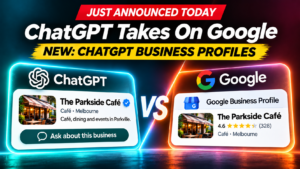
ChatGPT business profiles went live in beta on 10 November. Here's who can claim one, the seven steps, and how to get past the tricky DNS bit without being a tech person.
Ewan Watt, Founder & CEO, ROI Growth Agency · 18 November 2026
A profile is not a recommendation. Claiming one lets you manage your details. It doesn't guarantee ChatGPT will mention or rank you. If you want help getting mentioned, that's what our AI-powered performance SEO is for.
Claim it, verify it, go live
1Claim
Find your business and prove it's yours.
2Verify
Pass the ID check so you can edit.
3Go live
Fill in details and watch Insights.
- Free at launch
- ~30 min hands-on
- Blue tick once verified
Any business can claim a profile
Can apply
Online businesses
Ecommerce, software, online services, publishers.
Can apply
Service businesses
Agencies, consultants, trades, clinics. Choose the service option.
Can apply
Shops and restaurants
Shopfronts, cafes and other physical locations.
During setup you'll be offered a Business Agent. That's US-only for now, so you can skip it. For where ChatGPT ads are heading here, see our guide to ChatGPT advertising in Australia.
Start here: chatgpt.com/business-hub
Seven steps from sign-in to a live profile
Claim it
1Sign in to Business Hub
Use the ChatGPT account that will manage the business.
Tip: use a business account, not your personal one.
2Find or add your business
Search by name and pick your listing. Not there? Select Add business.
Tip: try your trading name and your legal name.
3Verify the connection
Use whichever method you're offered: phone, email, DNS or Shopify.
4Wait for approval
OpenAI emails you a decision or asks for more info. Sometimes it takes minutes, sometimes longer.
Verify and go live
5Persona ID check
Scan your driver's licence or passport. You may need your ABN too.
Must do: no editing until this is approved.
6Fill in your profile
Website, description, services, categories, logo and cover image.
Careful: published profiles can't be deleted.
7Check Insights
See mentions, website clicks and discovery topics over the last 28 days.
Note: past results, not a promise.
Check you have these before you sign in
That way you're not stopping halfway.
- Business name
- Website URL
- Business email and phone
- Domain login, or your web person on standby
- Driver's licence or passport
- ABN / ACN details
- Logo and cover image
- 2 to 3 sentence description
The DNS step, in plain English
If you're offered phone or email, use that and skip this. If ChatGPT asks for a "DNS TXT record", here's what it means.
Your website
is the house.
yourbusiness.com.au
DNS
is the letterbox.
Only the owner can get to it.
The TXT record
is a note with a code.
OpenAI finds it and knows the site is yours.
- Won't change your website
- Won't affect your email
- About 5 minutes for your web person
Who has the key to your letterbox?
A designer or agency built your site?
Ask them. Most common answer.
You bought the domain yourself?
Search your inbox for VentraIP, Crazy Domains, GoDaddy or Cloudflare.
On Wix, Squarespace or Shopify?
Look under Domains in your settings.
No idea?
Whoever pays the domain renewal usually has the login.
Copy this and send it to your web person
Email or text to your web designer or developer
Hi [name],
I'm claiming our business profile in ChatGPT's new Business Hub and need to verify our website domain.
Could you please:
- Confirm who manages our DNS, and whether you can change it
- Add this TXT record to [yourdomain.com.au]:
- Type: TXT
- Name / host: [paste the Name from ChatGPT]
- Value: [paste the Value from ChatGPT]
Then let me know once it's live so I can click "Verify domain".
Notes:
- It's a new TXT record only. Please don't change any existing records.
- Most DNS panels add the domain automatically, so the host should be just the name ChatGPT shows.
- The code expires, so today or tomorrow would be ideal.
It won't affect the website or email. Thanks!
Three questions worth asking them
"Who manages our DNS, and can you change it?"
The site builder isn't always the domain manager.
"Is the domain in our business name, with a login we own?"
If not, fix it now. You'll need it again.
"When can you add it?"
The code expires, so book them in first.
For your developer: the technical detail
- Type: enter TXT. Common mistake: CNAME or A by accident.
- Host: enter exactly what ChatGPT shows. Common mistake: adding your domain on the end, which doubles it because many DNS panels add the domain automatically.
- Value: copy it exactly. Common mistake: extra spaces or missing characters.
It can take minutes to a few hours to work. If the record expires, generate a new one. Leaving it in place is harmless.
A profile is not a recommendation
You control
Profile
- Your business details
- Website, description, images
- Insights on mentions and clicks
You don't control
Recommendation
- Not a paid placement
- Not guaranteed by verifying
- Not something you buy by claiming a profile
Shopfront or cafe? Get ready now
ChatGPT may already show info about you, so make sure it's right.
Consistent details
Same name, address and phone everywhere.
Description ready
What you do, where, and for whom.
One owner
A business-owned ChatGPT account.
Domain access
Know who controls your DNS.
Quick fixes for the six most common snags
- Can't find your business. Try name variations, then Add business.
- Already claimed by someone. Use Dispute ownership in the ••• menu.
- "Contact support" showing. The listing is locked. Click it to request access.
- No blue tick yet. Finish the Persona ID check.
- Persona check failed. Match your name, address and ABN to official records.
- DNS verify failed. Check for a doubled domain, wait an hour, retry.
Disclaimer. Businesses in ChatGPT is in beta. Features, supported industries and Australian availability can change. Your Business Hub account and OpenAI's approval decide whether you can claim a profile. A profile is not a paid placement, ranking guarantee or recommendation service.